Free to sign up

Bookings, diet plans, and workouts.
One coaching app.

Create a free trainer account. Clients book and pay in their portal. You write or generate nutrition plans from 300+ recipes, plus training they can follow in their portal.

No card required to open an account · Payments go to your Stripe

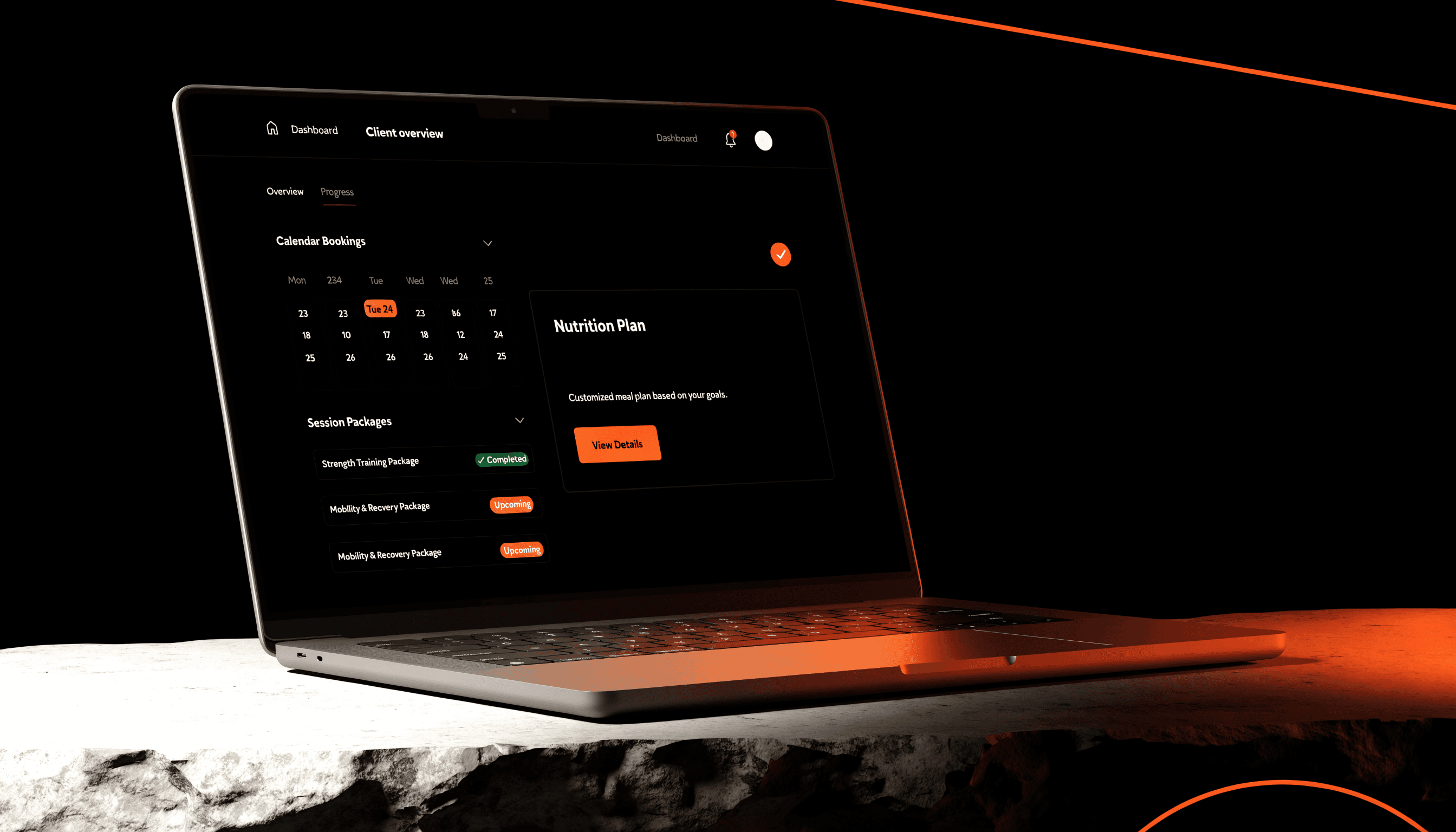
Trainer dashboard with bookings and client overview
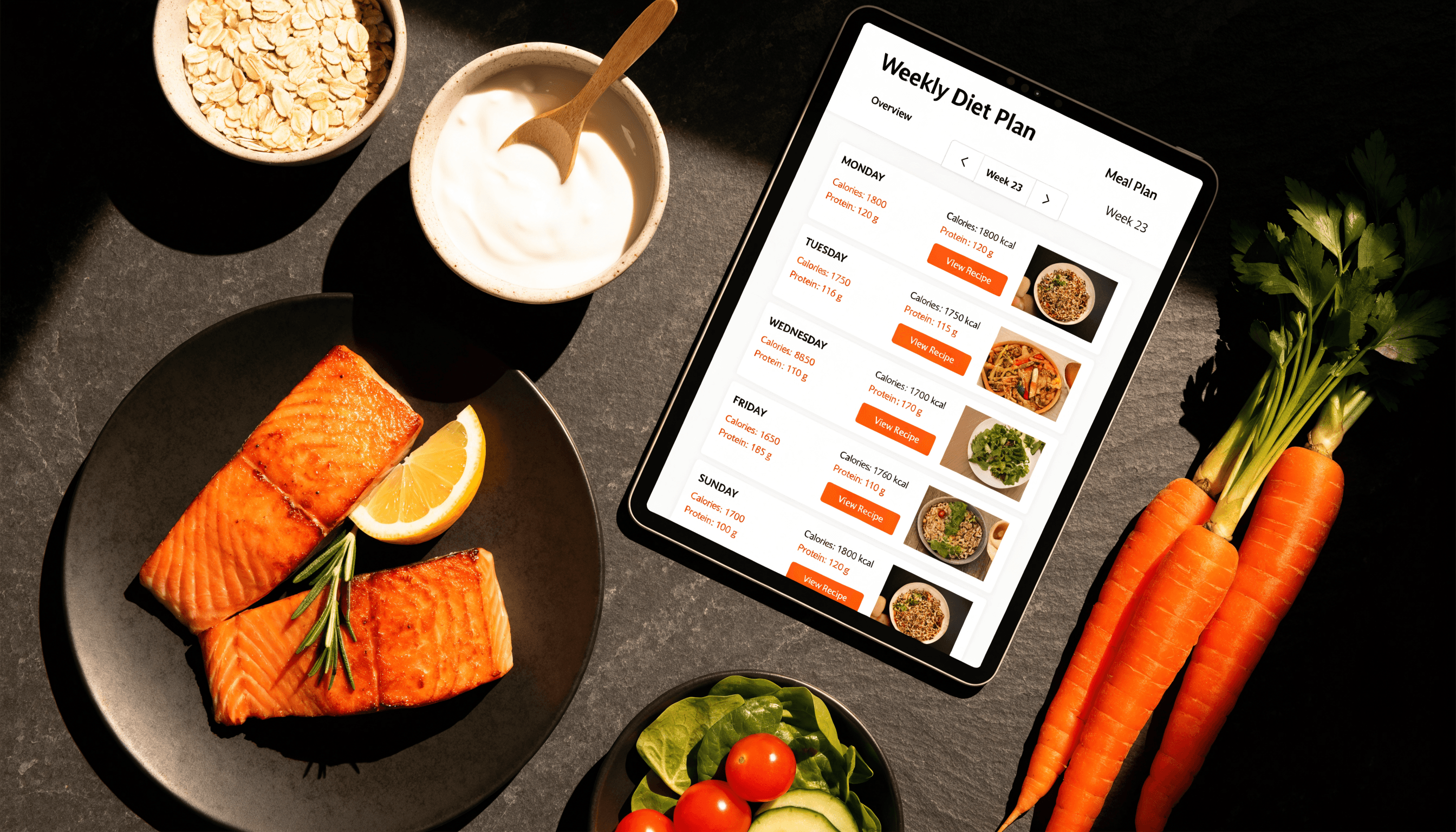
Weekly diet plan on a tablet beside prepared meals

Nutrition

AI diet plans that clients can actually cook

Build a weekly meal plan around the client’s goal, cuisine, schedule, and restrictions. Plans draw from a library of 300+ recipes with cooking methods — saved in their portal.

  • ◆300+ recipes across high-protein, low-carb, vegan, vegetarian, gluten-free, and smoothie packs
  • ◆Calorie and protein targets matched to the client
  • ◆Cuisine, diet type, and meal-slot logistics
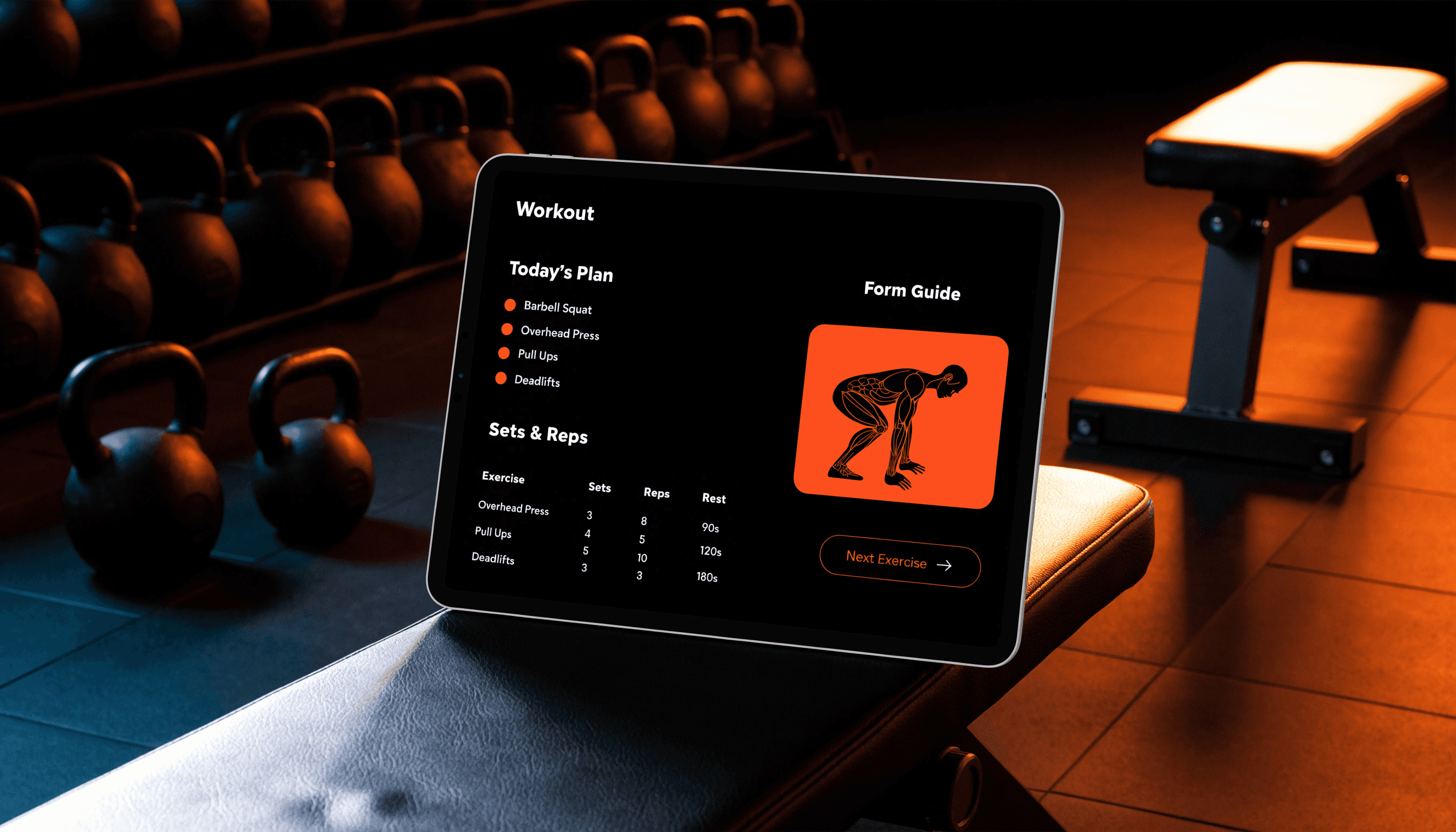
Workout programme on a tablet in a gym

Training

Workout programmes with form guides

Write or generate a week of sessions, then let the client log them. Exercise guides and drawings sit next to each movement so they’re not guessing in the gym.

  • ◆Session builder and per-exercise regeneration
  • ◆Progress reviews from what they actually logged
  • ◆Library of exercises with how-to guides
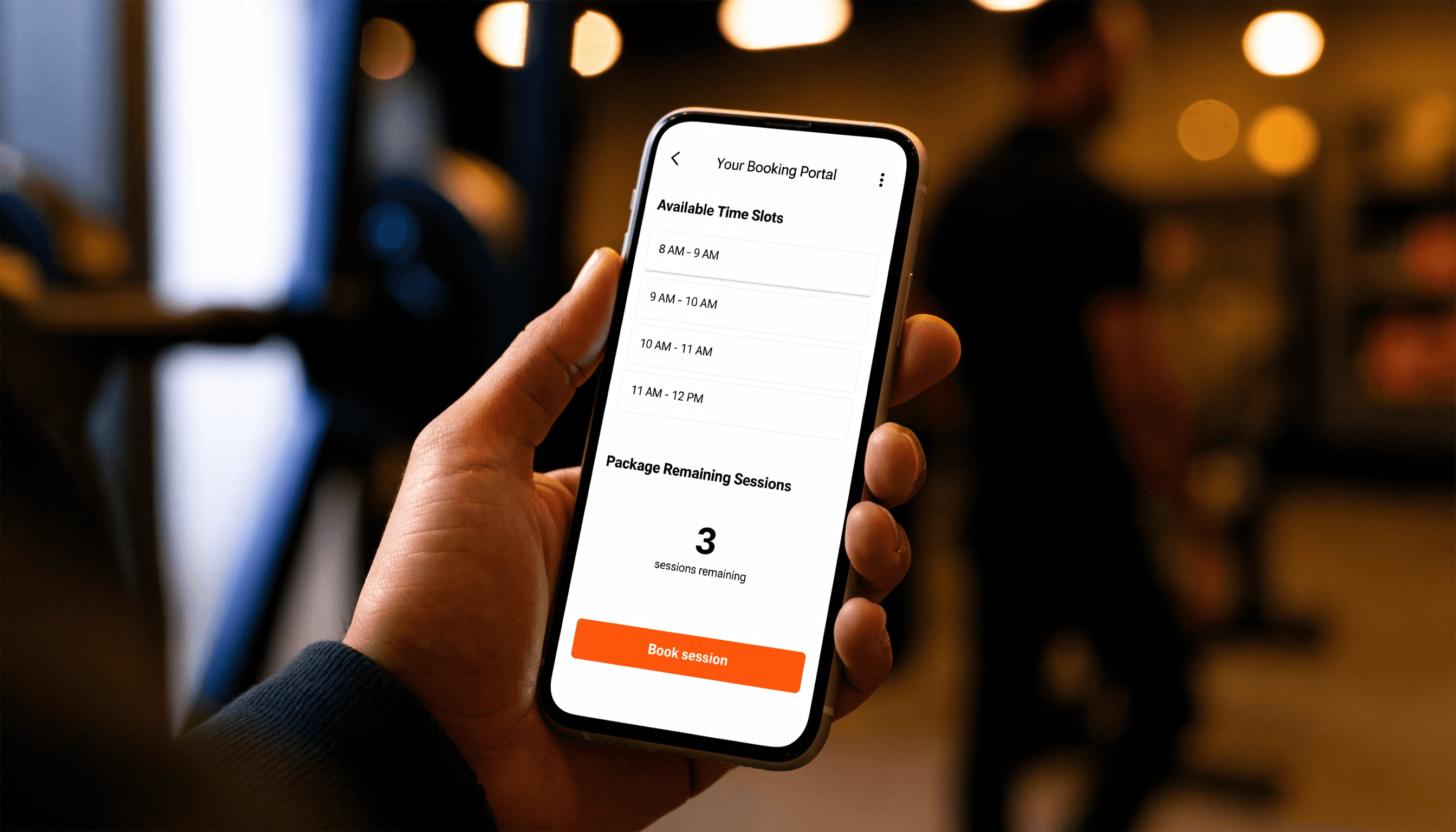
Client booking available sessions on a phone

Client portal

Clients book, pay, and follow the plan themselves

Each client gets a portal: availability, packages, intake forms, diet, and workouts. You don’t chase every WhatsApp. They don’t need another login for each tool.

  • ◆Self-booking with your working hours
  • ◆Packages, subscriptions, and remaining sessions
  • ◆Questionnaires before the first session

Also included

The ops layer around the plans

Calendar & availability

Set weekly hours, block time, run 1:1s and group classes. Bookings land on one calendar.

Packages & subscriptions

Sell session bundles or recurring plans. Assign by invoice or take card payments.

Stripe — paid to you

Connect your own Stripe account. Client payments go to you. A 0.5% platform fee applies to Stripe charges only.

Intake questionnaires

Send a form before session one. Health, goals, and logistics in one place — not a PDF in email.

Reminders & invoices

Automatic session reminders. Invoice settings for packages you assign without Stripe.

Google Calendar

Optional two-way sync so bookings show up next to the rest of your week.

Getting started

Free signup. Then four setup steps.

01

Create a free account

Sign up with your email. No card required to open a trainer account.

02

Connect Stripe

One click to the Stripe account you get paid into. No API keys to paste.

03

Add packages and hours

Create a session bundle or subscription, then set when you’re available.

04

Invite clients

They book, pay, and fill intake forms. You generate diet and workout plans when you’re ready.

FAQ

Before you create an account

Is it really free to sign up?

Yes. Create a trainer account at no charge. You can add clients, set availability, and build packages immediately. Card payments use your own Stripe account.

Who generates the diet and workout plans?

You do. Clients complete intake and follow the plan in their portal. Diet generation uses a shared library of 300+ recipes (high-protein, low-carb, vegan, vegetarian, gluten-free, smoothies, and more), then you generate and regenerate so the coaching stays yours.

Where does the money go?

Client Stripe payments go to your Stripe account. A 0.5% platform fee is taken only on those Stripe charges — not on free packages, invoices you assign by hand, or £0 trials.

Do clients need the website as well?

The portal can sit on your VIV-Z site, and hosting still includes bookings. You can also run the coaching app from a free trainer signup and share your portal link.

Can I run group classes?

Yes. Set capacity, open bookings, and use waitlists. Spots free up automatically when someone cancels.

Start coaching in one place.
Sign up free.

Open a trainer account, connect Stripe when you’re ready to take cards, and invite your first client.